
Download Image to Caption – AI‑Powered Image Caption Generator
Overview
In today’s visual‑first digital landscape, the ability to turn a simple picture into a compelling piece of text is a game‑changer. Image to Caption is an AI‑powered image‑to‑caption generator that leverages state‑of‑the‑art deep‑learning architectures—convolutional neural networks (CNNs) for image analysis and recurrent neural networks (RNNs) for natural‑language generation. The result is a seamless tool that automatically produces accurate, human‑like descriptions for any image you upload.
Whether you are a social‑media manager needing catchy Instagram captions, a blogger aiming to enrich posts with SEO‑friendly alt text, or an accessibility advocate looking to make visual content inclusive, this software covers the entire spectrum. By generating context‑aware captions, the tool not only boosts engagement but also improves search engine visibility, because search engines increasingly factor image metadata into ranking algorithms. Moreover, the generator works offline after initial download, ensuring your data stays secure and your workflow remains uninterrupted.
With a sleek interface, one‑click generation, and multi‑platform support, Image to Caption positions itself as the go‑to solution for anyone who wants to automate the tedious task of writing image descriptions while preserving quality and relevance.
Key Features
- Deep‑Learning Accuracy: Utilises a hybrid CNN‑RNN model trained on millions of image‑caption pairs for high semantic fidelity.
- One‑Click Caption Generation: Upload an image and receive a polished caption within seconds.
- SEO‑Optimized Output: Captions are automatically enriched with keywords that improve image discoverability.
- Alt‑Text Automation: Generates WCAG‑compliant alt text to enhance accessibility for visually impaired users.
- Multi‑Language Support: Currently supports English, Spanish, French, German, and Mandarin, with more languages in the roadmap.
- Batch Processing: Upload up to 50 images at once and receive a CSV file with corresponding captions.
- Cross‑Platform Compatibility: Native applications for Windows, macOS, Android, and iOS.
- Secure Offline Mode: After the initial download, the AI model runs locally, keeping your images private.
- Customizable Tone & Length: Choose between short, punchy captions or longer, descriptive sentences.
- Regular Updates: Monthly model refinements and UI enhancements delivered automatically.
Installation, Usage & Compatibility
Getting started with Image to Caption is straightforward. The installer is lightweight (≈120 MB) and guides you through a typical three‑step setup: download, install, and activate. The application checks for system prerequisites—such as .NET 5.0 on Windows or the latest Visual C++ Redistributable—before proceeding, ensuring a smooth experience even on older machines.
Installation Steps
- Visit the official download page and click the Download for Windows (or macOS, Android, iOS) button.
- Run the installer and follow the on‑screen prompts. You’ll be asked to choose an installation folder and whether to create a desktop shortcut.
- After installation, launch the app. The first run will trigger a brief model download (≈800 MB) that powers the caption engine. This step requires an internet connection but occurs only once.
- Enter your license key (provided after purchase) to unlock the full feature set. A free trial mode is also available, allowing up to 20 captions per month.
How to Generate Captions
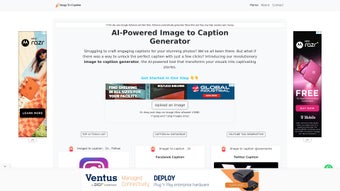
Once the application is open, you’ll see a clean dashboard with three main tabs: Single Image, Batch Mode, and Settings. For a single image, simply drag and drop the picture onto the drop zone or click “Browse” to locate it. Choose your desired output style (e.g., “Social Media” or “Alt‑Text”) and click “Generate.” Within 2–3 seconds, a caption appears in the text box, ready to copy. In batch mode, select a folder, set the output format (CSV or JSON), and start the process. The tool will automatically assign a caption to each image and save the results in the chosen file.
Compatibility: Image to Caption runs natively on Windows 10/11, macOS 12 Monterey and later, Android 8.0 Oreo and later, and iOS 13 and later. The app also offers a web‑based version that works with any modern browser (Chrome, Edge, Safari, Firefox) for users who prefer not to install software locally.
System requirements are modest: a dual‑core CPU, 4 GB RAM, and 1 GB of free disk space. For optimal performance, especially when processing large batches, a modern quad‑core processor and 8 GB RAM are recommended. The application supports both 32‑bit and 64‑bit architectures, making it accessible to a broad audience.
Pros and Cons
Pros
- Highly accurate captions thanks to advanced deep‑learning models.
- Boosts SEO by creating keyword‑rich image descriptions.
- Improves accessibility with WCAG‑compliant alt text generation.
- Supports multiple platforms and operating systems.
- Offline mode protects user privacy and reduces latency.
- Batch processing saves time for large content libraries.
- Customizable tone and length cater to diverse content needs.
- Regular updates keep the AI model current with language trends.
- Free trial available for new users to test core functionalities.
- Intuitive UI minimizes the learning curve for non‑technical users.
Cons
- Initial model download requires a stable internet connection and can be sizable (≈800 MB).
- Advanced tone customization is limited to preset styles; fully custom prompts are not yet supported.
- Batch processing caps at 50 images per run in the free tier.
- While the web version is convenient, it lacks offline capabilities.
- Multi‑language support, though present, is still expanding; some languages may have lower accuracy.
FAQ
Can Image to Caption be used for commercial projects?
Yes. Once you purchase a commercial license, you may generate unlimited captions for blogs, e‑commerce sites, marketing campaigns, and any other revenue‑generating content without attribution.
How does the tool ensure the generated alt text meets accessibility standards?
The AI model is trained on datasets that include WCAG‑compliant descriptions. Additionally, the Settings tab offers a toggle to enforce concise, descriptive alt text (typically under 125 characters), which aligns with best practices for screen readers.
Is there a limit to the number of captions I can generate per day?
Free trial users are limited to 20 captions per month. Paid plans provide unlimited generation, with the only restriction being the batch size (up to 200 images per batch for Enterprise customers).
Do I need an internet connection after the initial installation?
No. After the one‑time model download, all captioning runs locally on your device, ensuring privacy and eliminating the need for continuous connectivity.
Can I integrate Image to Caption with my existing CMS or workflow?
Yes. The application provides a RESTful API and a command‑line interface (CLI) that allow you to automate caption generation within WordPress, Drupal, Shopify, or any custom pipeline.
Conclusion & Call to Action
Image to Caption delivers on its promise of turning visual content into meaningful, SEO‑friendly text with speed and reliability. By marrying cutting‑edge AI with a user‑centric design, the tool eliminates the repetitive task of manual caption writing, while simultaneously enhancing accessibility and search visibility. Whether you’re a solo content creator, a marketing agency, or an enterprise with massive media libraries, the software scales to meet your needs. The free trial lets you experience the accuracy first‑hand, and the modest pricing tiers make it an affordable addition to any digital workflow. Don’t let your images sit silent—download Image to Caption today, generate compelling captions in seconds, and watch your engagement metrics climb.






